For small employers
Payroll for a small team, without the monthly bill.
Two people every Friday, a seasonal crew from May to September, or one monthly payroll: LeoFolio calculates the pay run, shows every tax, and gives you the pay statements and records. $7.99 per pay run, for up to five employees.
- No subscription, no account, nothing to cancel
- Every state, every province and territory
- Check every figure before you pay
Built for the way small employers actually pay.
Subscriptions assume you run payroll every week of the year. Most small employers do not.
Seasonal crews
Landscaping, tourism, farms, events. Run payroll in the months you have staff. In the off-season you pay nothing, and everything is waiting when you start again.
Monthly payroll
Twelve pay runs a year is $95.88 for up to five employees. Year-to-date totals and the wage limits carry from one month to the next.
A few part-timers
Weekly or every two weeks, hourly or salaried, with overtime. Enter the hours; LeoFolio does the federal, state and local taxes.
Bonuses and last paychecks
Pay a bonus between paydays, or a final paycheck that shows the deadline your state sets for the type of separation.
From hours to pay statements.
Enter the pay period
Your company once, then each pay period's dates and each employee's hours or salary.
Next time, only what changedCheck every figure
Taxes, deductions, net pay and your employer taxes, line by line. Change anything and recalculate.
Free until you completeComplete and pay your people
Pay $7.99, download the statements and records, then pay employees your usual way and make the deposits on the dates shown.
Your bank, your controlEverything from one calculation.
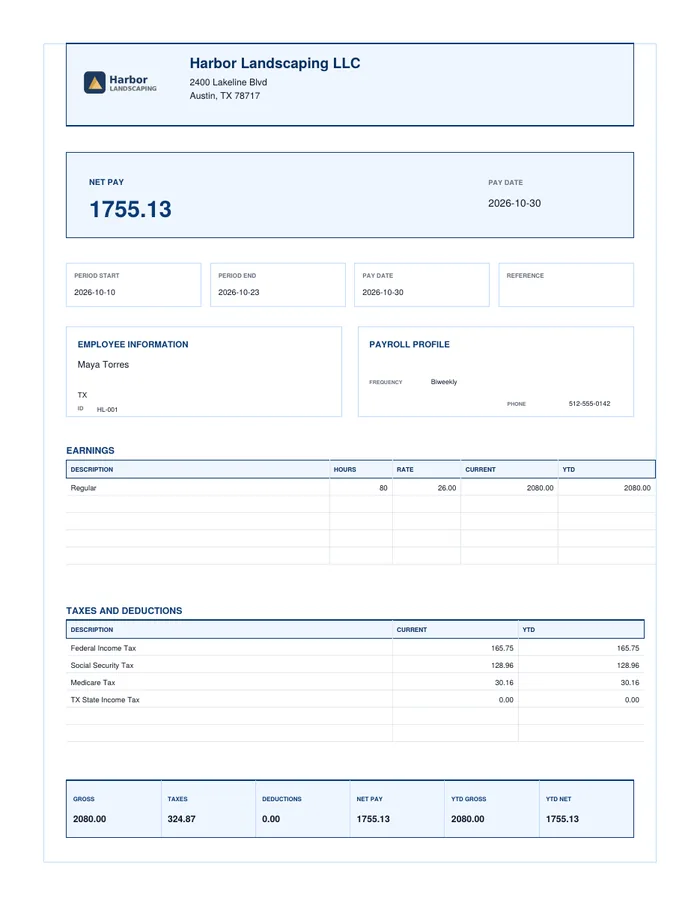
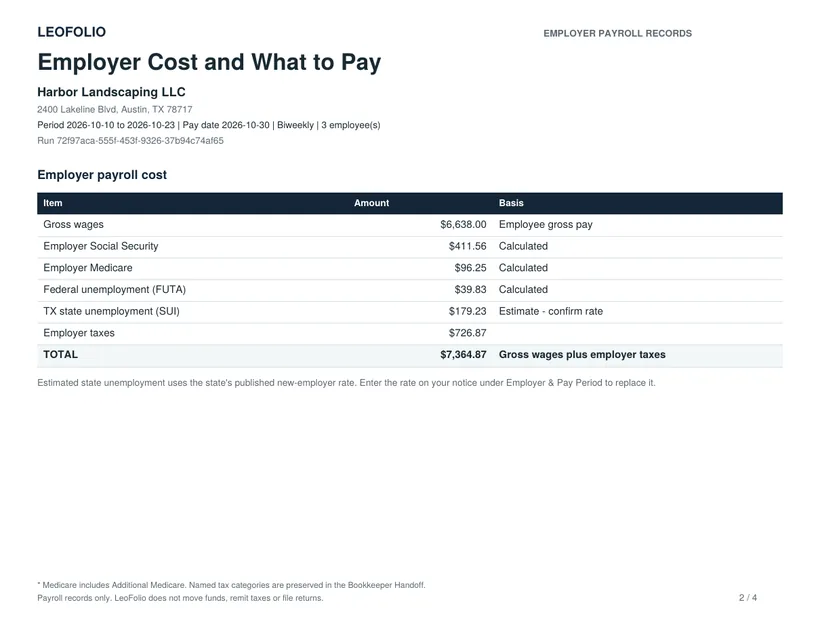
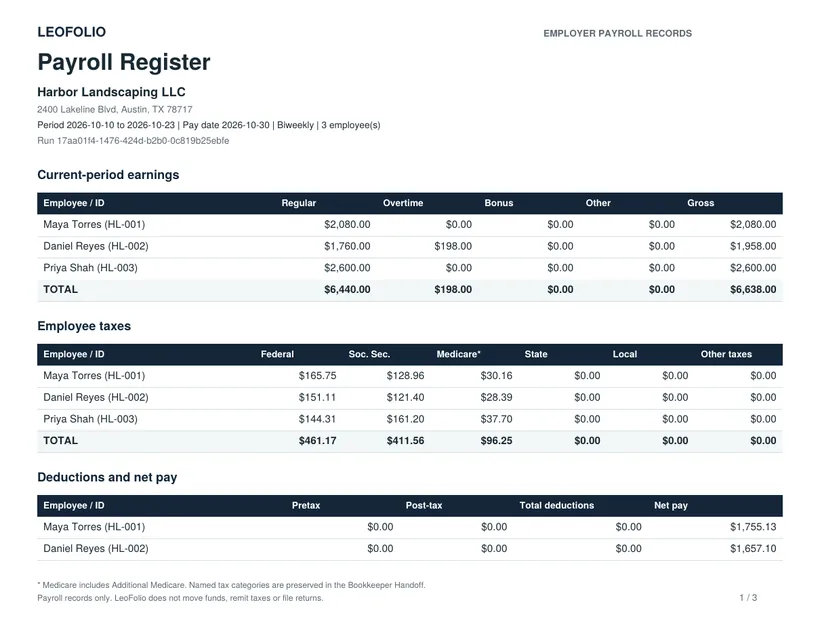
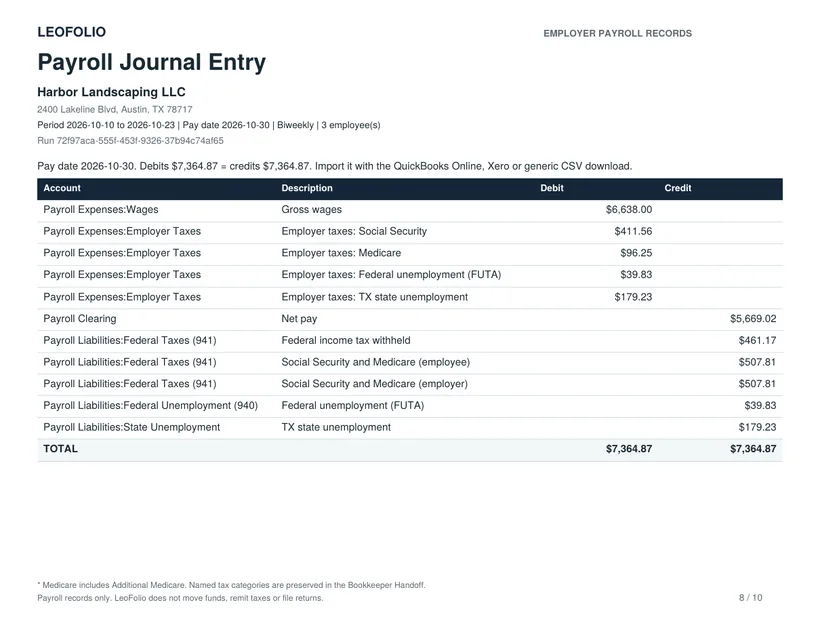
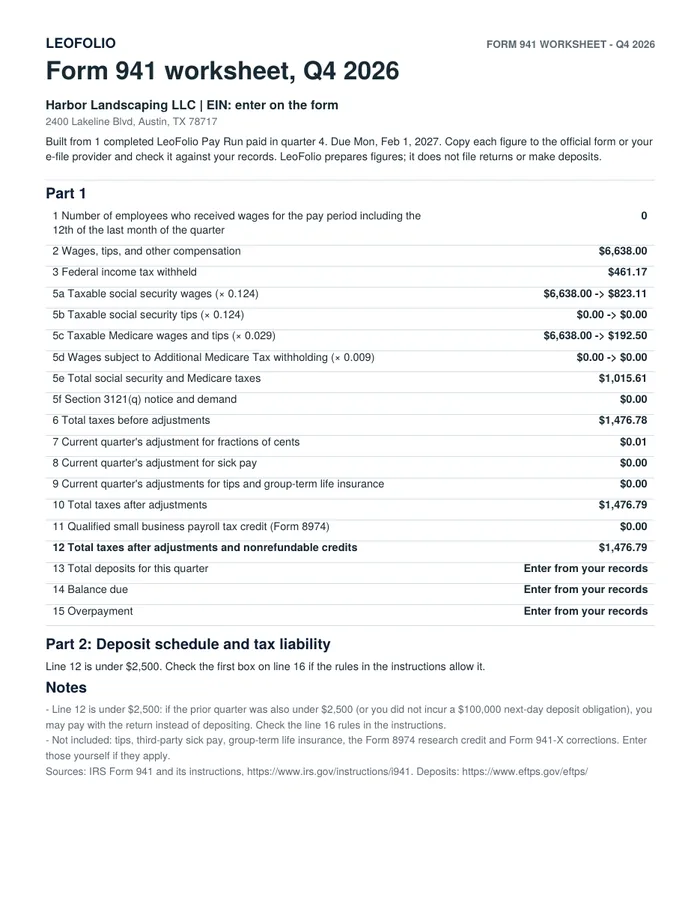
Real files from a sample three-person run.
When a full payroll service is the better choice.
We would rather you choose the right tool than the wrong one.
LeoFolio fits when
- You have one to five employees
- You pay irregularly, monthly or by the season
- You are happy to pay people and deposit taxes yourself, or your bookkeeper does
- You want the records without the subscription
Consider a full-service provider when
- You want direct deposit and tax filing done for you
- You have more than five employees
- You need benefits, time tracking or an employee portal
- You run payroll every week and never want to think about it
LeoFolio does not move money, and it does not independently verify the hours, pay rates or tax settings you enter. That is why every figure is on screen before you pay: you check it, then complete it.
Questions from small employers.
Is LeoFolio right for a business with one employee?
Yes. A Pay Run covers one to five employees for the same $7.99. If the one employee is you, the owner of an S corporation, Owner Payroll covers the whole year for $79.
What if I only have staff part of the year?
Run payroll in the months you have staff and nothing in the others. There is no subscription to pause or cancel, and your company, employees and year-to-date totals are waiting when you come back.
What do I still do myself?
Pay your employees by direct deposit, transfer or check, deposit the taxes through EFTPS and your state, and file the returns. LeoFolio tells you the amounts and the dates, and prepares the figures for the 941, 940 and W-2.
Which states are covered?
All 50 states and Washington, DC, including state withholding, state unemployment and the local taxes LeoFolio supports. In Canada, every province and territory.
Can my accountant see the records?
Yes. Download the payroll register, funds summary and bookkeeper handoff and send them, or save an encrypted company file they can open.
Run your next payroll with LeoFolio.
Prepare and check it for free. Pay $7.99 when you complete it.