Your records stay in your browser
Saved Pay Runs remain in the browser unless an active run is submitted for processing.
For bookkeepers · accounting professionals
Prepare payroll for clients with up to five employees, review the calculations, and generate an organized handoff package. Pay per run, with no required monthly payroll subscription.
Your privacy matters
Your company, your clients, and your employees may rely on LeoFolio with sensitive payroll and accounting information. We designed LeoFolio to minimize unnecessary access to your data. Payroll records are not stored in a staff-accessible payroll database, and LeoFolio staff cannot browse or retrieve your clients’ payroll records through an internal system.Learn more →
Saved Pay Runs remain in the browser unless an active run is submitted for processing.
LeoFolio staff cannot browse or retrieve client payroll records through an internal customer database.
Detailed employer and employee payroll information is not passed to Stripe as Pay Run checkout metadata.
A simple, repeatable workflow
Recurring payroll should become more familiar each period, not force you to rebuild the same client setup from the beginning. LeoFolio keeps the work in a consistent preparation-and-review rhythm: reuse the details that remain stable, update the information that changed for the current pay period, review the calculations, and then generate an organized record package.
That structure helps keep attention on the items that actually need professional review—hours, rates, deductions, work locations, withholding inputs, and other period-specific changes—while the client and employee details you have already saved can be reused in the same browser.
Start with the employer and pay-period information. Reuse saved client and employee details in the same browser, then confirm anything that changed since the prior run.
Enter current-period pay details, work location, hours or rate information, deductions, and withholding inputs for each employee included in the run.
Check gross pay, taxes, deductions, and employee statement results before completion. Changed or unusual inputs remain a review point rather than something to accept automatically.
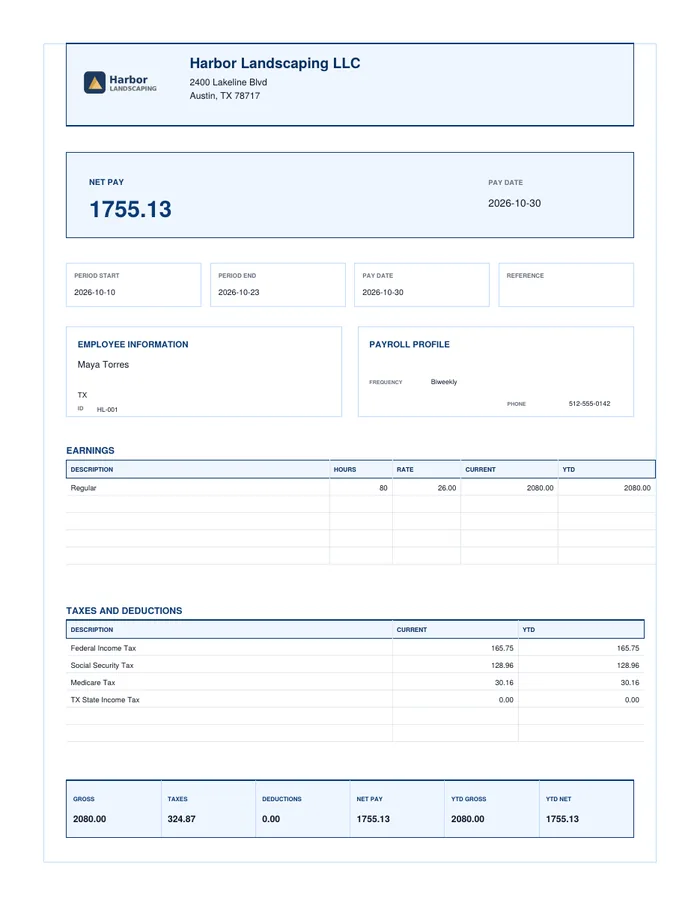
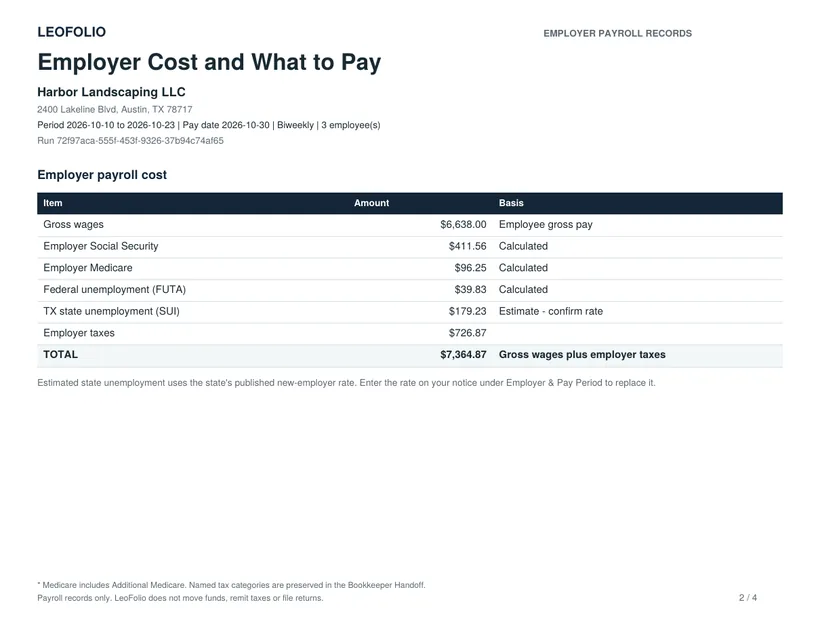
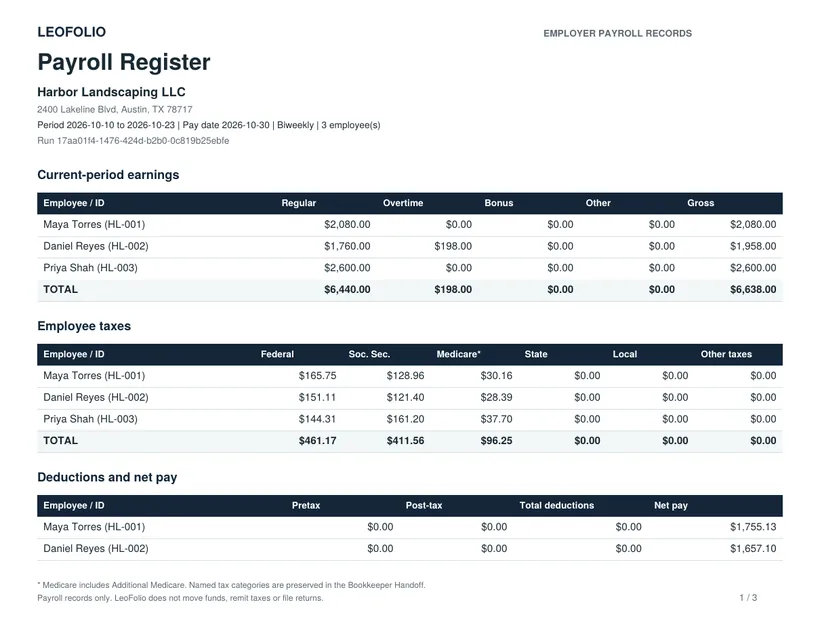
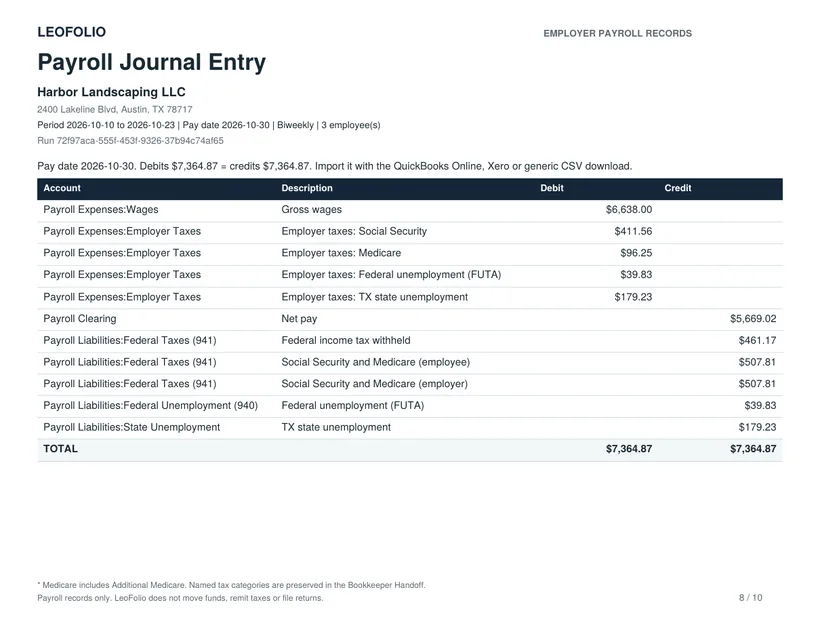
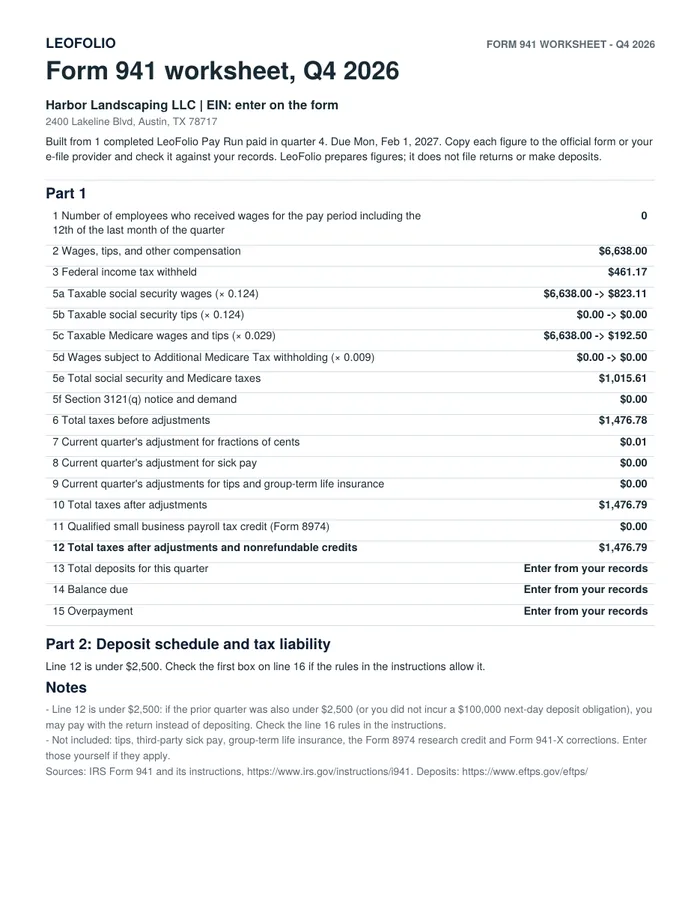
Generate the supported record set for the pay period—such as the Payroll Register, Funds Summary, Bookkeeper Handoff, employee statements, and structured records where applicable.
Saved client and employee details can reduce repetitive setup. Each new Pay Run still gives you the opportunity to review the current pay period and update anything that changed.
LeoFolio prepares supported calculations and records, but the bookkeeper and client remain responsible for checking the information and confirming the run before relying on the results.
The generated records organize the pay period for downstream bookkeeping and client files. Wage payments, tax deposits, remittances, and payroll filings continue outside LeoFolio.
Built for repeat work
Save client and employee details in LeoFolio Workspace so recurring Pay Runs require less repetitive entry. Your client information stays in your browser for easy reuse, without creating a centralized payroll-record repository.
Clear roles. Clear records.
Professional records, ready for your workflow
Every Pay Run generates a complete set of records, designed for bookkeepers and small business clients. Review everything before completion, then download a clean, organized package.
Common questions